How to Organize Your Browser Bookmarks for Quick Access is not merely a guide; it is an invitation to transform your digital experience. In today’s fast-paced online world, a well-organized bookmark system can significantly enhance your productivity and efficiency, enabling you to navigate the vast ocean of information with ease and speed.
By implementing effective strategies for categorizing and managing your bookmarks, you can minimize clutter and ensure that your most important resources are only a click away. This approach not only saves time but also alleviates the frustration commonly associated with a chaotic bookmark collection.
Importance of Organizing Bookmarks
An organized bookmark system serves as a vital tool in enhancing productivity and ensuring efficient browsing experiences. As individuals navigate through an ever-expanding digital world, the ability to quickly access frequently visited sites and valuable resources is paramount. This organization not only saves time but also cultivates a more streamlined workflow, allowing users to focus on their tasks without unnecessary distractions.Efficiently organized bookmarks lead to improved browsing efficiency by minimizing the time spent searching for websites.
A well-structured bookmark system allows users to categorize and prioritize their links, making it easier to find specific information when needed. Conversely, a cluttered bookmark system presents numerous challenges. Users may waste precious time sifting through irrelevant links, which often results in frustration and decreased productivity. The following points illustrate the common pitfalls associated with a chaotic bookmark system:
Common Pitfalls of a Cluttered Bookmark System
A disorganized bookmark management system can lead to several negative outcomes. Understanding these pitfalls is essential for recognizing the importance of organization. The following points highlight the issues that arise when bookmarks are not properly sorted:
- Inability to Locate Important Resources: Users may struggle to find critical websites amid a sea of unorganized links, which can hinder their efficiency and lead to missed deadlines.
- Decreased Focus: The presence of numerous irrelevant bookmarks can distract users from their current tasks, resulting in fragmented attention and reduced productivity.
- Frustration and Time Loss: Spending excessive time searching for a specific link creates frustration and detracts from the overall browsing experience.
- Overwhelming Choices: A cluttered bookmark list can create decision fatigue, where users become overwhelmed by the sheer number of options, leading to indecision and wasted time.
In conclusion, the importance of organizing bookmarks cannot be overstated. By implementing a structured system, individuals can significantly enhance their productivity, streamline their browsing process, and avoid the common pitfalls associated with disorganization. Efficient bookmark management not only saves time but also fosters a more focused and effective online experience.
Categorizing Bookmarks

Organizing bookmarks effectively is a crucial step towards enhancing productivity and ensuring quick access to frequently visited sites. By categorizing your bookmarks, you not only streamline your browsing experience but also create a systematic approach to information retrieval. This method enables users to locate resources swiftly and manage their online activities more efficiently.Proper categorization of bookmarks involves creating specific folders that reflect the topics or themes relevant to your browsing habits.
This organizational strategy significantly reduces the time spent searching for links and enhances overall efficiency. Below are suggested methods for creating and organizing folders based on user needs and frequency of use.
Methods for Creating Categories
When creating categories for your bookmarks, it’s essential to consider the different aspects of your life and work. By grouping bookmarks according to their purpose or frequency of use, you can simplify navigation. Here are effective strategies for organizing bookmarks:
- By Topic: Create primary folders for broad subjects, such as “Work,” “Personal,” “Research,” “Finance,” and “Travel.” Each folder can then house subcategories for more detailed organization.
- By Usage Frequency: Arrange bookmarks based on how often you visit them. For instance, a folder titled “Daily Essentials” may include websites you access every day, while “Occasional Resources” can contain links you refer to less frequently.
- By Project: For users with specific projects, establishing folders that correlate with ongoing tasks or assignments can be beneficial. This could include folders labeled with project names or client names, making it easy to find related resources.
- By Medium: Separate bookmarks by their nature, such as articles, videos, and podcasts. This method assists in quickly locating specific content types tailored to different media preferences.
Examples of Effective Categories
Different users may have varying needs for their bookmark organization. Below are examples of effective categories that cater to diverse purposes:
- Work: Include folders like “Meetings,” “Reports,” “Client Resources,” and “Tools” for quick reference to business-related content.
- Personal: Categories such as “Recipes,” “Health & Wellness,” “Hobbies,” and “Shopping” can enhance personal browsing experiences.
- Research: Organize bookmarks into “Academic Articles,” “Case Studies,” “Statistics,” and “Reference Materials” to streamline access to research resources.
- Travel: Create categories like “Destinations,” “Travel Planning,” and “Accommodation Options” to simplify itinerary building and planning.
“An organized bookmark system not only saves time but also serves as a powerful tool for enhancing productivity and focus in a digital landscape.”
Utilizing Bookmark Management Tools

Organizing bookmarks can be significantly streamlined with the assistance of various bookmark management tools available today. These tools not only help in sorting and categorizing bookmarks but also provide features that enhance accessibility and productivity. A good bookmark management tool can turn a chaotic collection into a well-structured library, enabling users to locate their favorite links quickly and efficiently.There are numerous bookmark management tools designed to cater to different user needs.
Below are some of the popular tools along with their features:
Popular Bookmark Management Tools
Understanding the features of various bookmark management tools can aid in selecting the right one for your needs. Here is an overview of some widely used options:
- Raindrop.io: This tool offers a visually appealing interface that allows users to save bookmarks in a categorized manner. Features include tags, search functionality, and cloud synchronization across devices.
- Pinboard: A minimalistic bookmarking service that emphasizes speed and simplicity. It allows users to annotate bookmarks and provides a robust search option, ideal for users who prefer a no-frills approach.
- Bookmark Manager Chrome Extension: This browser extension integrates seamlessly with Google Chrome, allowing users to organize their bookmarks directly from the browser. Features include folder organization, drag-and-drop functionality, and visual previews of saved pages.
- Pocket: While primarily a read-it-later service, Pocket allows users to save articles and links for future reference. It includes tagging, offline access, and a recommendation feature to discover new content.
When exploring browser extensions to enhance bookmark organization, it’s essential to consider their usability and the additional features they provide. Extensions can offer functionalities that are not available through standard browser settings.
Using Browser Extensions for Bookmark Organization
Browser extensions can significantly augment the way bookmarks are managed within web browsers. They provide additional layers of functionality, making bookmark organization more intuitive and efficient.
- Bookmark Manager: This extension facilitates the grouping of bookmarks into customizable folders, allowing users to quickly access their favorite links.
- SuperSorter: An extension that automatically sorts bookmarks alphabetically or by creation date, ensuring that users can find what they need without hassle.
- Bookmark Sidebar: This extension enables users to access their bookmarks from a sidebar, making it easier to navigate through numerous links without navigating away from the current page.
It’s important to note that while these extensions can enhance usability, users should ensure that they choose reputable options to protect their privacy and data security.
Comparison of Popular Bookmark Management Software
A comparative analysis of bookmark management software can shed light on which tool may best suit your organizational needs. Below is a table summarizing key features of popular bookmark management solutions:
| Tool | Key Features | Best For |
|---|---|---|
| Raindrop.io | Tags, cloud sync, visual previews | Users seeking a visually organized library |
| Pinboard | Speed, simplicity, annotations | No-frills users focused on efficiency |
| Chrome Bookmark Manager | Integrated management, drag-and-drop | Chrome users wanting seamless integration |
| Offline access, tagging, recommendations | Users looking to save articles for later |
By carefully considering the features and benefits of each tool, users can choose a bookmark management solution that aligns with their organizational preferences and browsing habits.
Best Practices for Bookmark Naming
Creating clear and concise bookmark names is essential for efficient navigation through your online resources. A well-named bookmark can significantly reduce the time spent searching for specific pages, enhancing your overall browsing experience. Implementing effective naming conventions is a key component of organizing your bookmarks, leading to improved accessibility and productivity.
Strategies for Creating Clear and Concise Bookmark Names
When naming bookmarks, clarity and brevity are paramount. The following strategies can help optimize your bookmark naming practices:
- Be Descriptive: Use terms that clearly describe the content of the link. For instance, instead of naming a bookmark “Article,” use “2023 Marketing Trends Article” to provide context.
- Limit Length: Keep bookmark names short, ideally under 30 characters. This ensures they are easily visible and do not get cut off in the browser interface.
- Avoid Unnecessary Words: Eliminate filler words such as “the,” “a,” or “website” unless they are necessary for clarity. For example, “Healthy Recipes” is more efficient than “The Healthy Recipes Website.”
Common Naming Conventions that Enhance Bookmark Retrieval
Adopting consistent naming conventions can streamline the retrieval process. These conventions can include:
- Use of s: Incorporating relevant s can improve searchability. For instance, using “Best Hiking Trails – National Parks” allows for quicker identification.
- Date Inclusion: Adding dates in a recognizable format (e.g., YYYY-MM-DD) can be useful for bookmarks associated with time-sensitive information, making it easier to locate the most relevant content.
- Category Prefixes: Group similar bookmarks by prefixing them with a category tag, such as “Tech – AI Innovations” or “Travel – Europe Guides.” This method aids in organized retrieval.
Importance of Consistency in Naming Bookmarks
Maintaining consistency in bookmark naming not only enhances retrieval efficiency but also creates a coherent structure that is easy to navigate. Consistency allows users to develop mental models of where to find specific information. Key points regarding this practice include:
- Uniform Format: Stick to a specific format across all bookmarks, such as using dashes or underscores consistently. For example, “2023_Health_Conference” vs. “2023 – Health Conference” should follow the same structure.
- Consistent Terminology: Use the same terminology for similar concepts across bookmarks. For instance, if you use “Web Development” in one bookmark, avoid using “Website Building” in another.
- Regular Updates: Review and update bookmark names periodically to reflect any changes in the content or focus, ensuring they remain accurate and relevant.
“A well-organized digital workspace is as important as a well-organized physical workspace; it enhances productivity and reduces stress.”
Regular Maintenance of Bookmarks
Maintaining an organized collection of bookmarks is not a one-time task but an ongoing process that requires regular attention. Regular maintenance of bookmarks is crucial for ensuring that your browser remains a productive tool rather than a cluttered digital space that hinders access to important resources. This section discusses the significance of reviewing and updating bookmark collections and provides a structured procedure for auditing and maintaining your bookmarks effectively.
Importance of Reviewing and Updating Bookmark Collections
Regularly reviewing and updating your bookmark collections helps in identifying and eliminating outdated links, which enhances your browsing efficiency. Dead or broken links can lead to frustration and wasted time, making it essential to keep your bookmarks current.
“An organized bookmark collection is a reflection of an organized mind; it saves time and enhances productivity.”
Maintaining an updated collection allows you to focus on the most relevant resources, thus saving valuable time in your daily activities.
Procedure for Auditing Bookmarks
To ensure that your bookmarks remain relevant and functional, it is advisable to conduct a routine audit. The steps below Artikel a clear procedure for auditing your bookmarks effectively:
1. Set a Schedule
Designate a specific time every month or quarter to review your bookmarks. Consistency in scheduling is key to maintaining an organized collection.
2. Access Your Bookmark Manager
Use your browser’s bookmark manager to view and manage your bookmarks easily.
3. Check Each Bookmark
Go through each bookmark and verify its functionality by clicking on the link.
4. Identify Outdated Links
Take note of any bookmarks that lead to 404 errors or pages that are no longer relevant to your interests or needs.
5. Categorize and Delete
Based on your assessment, categorize bookmarks into ‘Keep’, ‘Delete’, or ‘Review Later’. Remove any outdated or non-functional links immediately.By following these steps, you can keep your bookmark collection streamlined and efficient.
Scheduling Routine Maintenance Tasks
Establishing a routine maintenance schedule is vital in ensuring that your bookmarks stay organized over time. Here are some practical steps to integrate this into your regular workflow:
Daily Quick Check
Spend a few minutes daily to check new bookmarks and ensure they are categorized correctly.
Weekly Review
Set aside time each week to assess new bookmarks and update existing ones if necessary.
Monthly Deep Dive
Conduct a comprehensive audit of your bookmarks once a month, using the earlier Artikeld procedure to ensure all links are functional and categorized appropriately.Integrating these routine maintenance tasks into your regular schedule will lead to a more organized and user-friendly bookmark collection. By taking these proactive steps, you are investing in a more efficient browsing experience that facilitates quick access to the resources you need.
Syncing Bookmarks Across Devices
Syncing bookmarks across multiple devices is an essential practice for modern internet users who want seamless access to their favorite websites, regardless of the device they are using. Whether transitioning from a desktop to a mobile device or vice versa, having a synchronized collection of bookmarks enhances productivity and efficiency by eliminating the need to search for links repeatedly.The advantages of syncing bookmarks include accessibility, convenience, and improved organization.
By ensuring that bookmarks are synced, users can easily locate and manage their favorites across various platforms, facilitating a smoother online experience.
Setting Up Bookmark Synchronization
To maximize the benefits of bookmark synchronization, it is vital to understand how to set up this feature in different web browsers. Below are the steps for enabling bookmark sync in some of the most widely used browsers:
Google Chrome
- Open Chrome and click on the three vertical dots in the upper-right corner.
- Go to “Settings” and find the “You and Google” section.
- Click on “Sync and Google services,” and select “Manage what you sync.”
- Toggle on the “Bookmarks” option.
Mozilla Firefox
- Launch Firefox and click on the hamburger menu in the upper-right corner.
- Select “Options” followed by “Sync” in the sidebar.
- Sign in with your Firefox account.
- Ensure that the “Bookmarks” option is checked to enable syncing.
Microsoft Edge
- Open Edge and click on the three horizontal dots in the upper-right corner.
- Navigate to “Settings” and select “Profiles.”
- Click on “Sync” and switch on the “Favorites” option.
Apple Safari
- Open Safari and go to “Preferences” from the Safari menu.
- Click on the “General” tab and select “Show all bookmarks.”
- Ensure that “iCloud” is enabled under “iCloud Drive” to sync bookmarks across Apple devices.
Comparison of Syncing Capabilities
When comparing the syncing capabilities of different browsers, it is important to consider factors such as ease of use, reliability, and platform support. Below is a summary of these characteristics across popular browsers:
| Browser | Ease of Use | Reliability | Platform Support |
|---|---|---|---|
| Google Chrome | Very easy, with a straightforward setup | Highly reliable with minimal sync issues | Windows, Mac, Linux, Android, iOS |
| Mozilla Firefox | Simple setup with account-based sync | Generally reliable, though occasional issues can arise | Windows, Mac, Linux, Android, iOS |
| Microsoft Edge | User-friendly with seamless integration | Very reliable, especially on Windows devices | Windows, Mac, Android, iOS |
| Apple Safari | Intuitive for Apple users | Very reliable for Mac and iOS users | Mac, iOS only |
In summary, syncing bookmarks across devices not only simplifies access to essential websites but also promotes better organization and management of online resources. By following the setup instructions specific to each browser and understanding their capabilities, users can enhance their browsing experience significantly.
Utilizing Tags and Descriptions

The use of tags and descriptions can significantly enhance the organization of your browser bookmarks, making them more accessible and easier to retrieve. By implementing a system of tagging and providing descriptive text, you can streamline your browsing experience and ensure that your essential links are always at your fingertips. This approach not only facilitates quick access but also adds context, allowing for improved bookmark management.The primary benefit of using tags for bookmarks lies in the ability to create multiple pathways to retrieve a singular resource.
Tags function as s that help categorize bookmarks beyond traditional folder structures. This flexibility is particularly useful for individuals with extensive bookmark collections, as it allows for a more dynamic way to locate bookmarks based on various themes or topics.
Benefits of Tags for Bookmarks
Tags provide a versatile method for organizing bookmarks that can lead to a more efficient browsing experience. By utilizing tags, users can:
- Enhance Searchability: Tags allow users to instantly filter bookmarks based on specific topics or themes, making it easier to find relevant links.
- Create Multiple Associations: A single bookmark can be associated with multiple tags, which helps in organizing bookmarks that may pertain to different subjects.
- Facilitate Quick Access: By clicking on a tag, users can access a curated list of bookmarks that are relevant to that specific , saving time.
- Adopt a Personalized System: Tags can reflect individual preferences and habits, allowing for a more tailored bookmark organization system.
Adding descriptions to bookmarks further enhances their utility by providing context that may not be immediately apparent from the bookmark title alone. A well-crafted description can clarify the purpose of a bookmark, making it easier to decide whether it’s the right resource to access at a glance.
Adding Descriptions for Better Context
When adding descriptions to bookmarks, consider the following practices to maximize their effectiveness:
- Be Concise but Informative: Descriptions should provide enough context to clarify the bookmark’s content without being overly lengthy. Aim for a balance between detail and brevity.
- Include Relevant s: Incorporate s that can help in the retrieval process, reinforcing the subject matter of the bookmark.
- State the Bookmark’s Purpose: Explain what the user can expect to find, such as “Research on climate change impacts” or “Tutorial on advanced Excel functions.”
- Highlight Unique Features: If applicable, mention any unique aspects of the bookmark that set it apart from others, such as interactive elements or updated information.
Effective Tagging Strategies
Implementing effective tagging strategies can substantially improve bookmark organization. Here are some examples:
- Thematic Tags: Use tags that correspond to overarching themes such as “Work,” “Personal,” “Research,” or “Travel.”
- Project-Based Tags: Create tags specific to ongoing projects, allowing for quick access to all bookmarks related to a single endeavor.
- Time-Based Tags: For bookmarks that may be relevant only within certain time frames, use tags like “2023 Events” or “Q1 Marketing Resources.”
- Priority Tags: Designate tags such as “High Priority” or “To Read” to indicate the importance or urgency of specific bookmarks.
By leveraging tags and descriptions effectively, users can create a more intuitive and efficient bookmark management system. This approach not only enhances the retrieval process but also fosters a more organized digital environment that can adapt to changing needs over time.
Educating Others on Bookmark Organization
Educating others on the effective organization of browser bookmarks is essential in creating a collaborative digital environment. When team members can easily access and share resources, productivity and efficiency increase significantly. The techniques employed in teaching bookmark organization can greatly enhance communication and knowledge-sharing within a group.One of the most effective methods for teaching bookmark organization involves creating comprehensive resources such as handouts or tutorials.
These materials can serve as reference guides for individuals unfamiliar with proper bookmark management practices. A well-designed tutorial might include step-by-step instructions, visual aids, and tips for organizing bookmarks effectively.
Creating Instructional Resources
The development of instructional resources is a fundamental aspect of fostering effective bookmark organization. These resources can vary based on the audience’s familiarity with technology, allowing for tailored learning experiences. Key components of effective resources include:
- Step-by-step Guides: Clear, concise guides that Artikel the process of organizing bookmarks, focusing on categories, naming conventions, and usage of management tools.
- Visual Aids: Screenshots or infographics that illustrate the bookmarking process can enhance understanding significantly. For example, a flowchart depicting the steps to categorize bookmarks can make the information more digestible.
- Video Tutorials: Creating short video tutorials that visually demonstrate the bookmarking process can cater to visual learners and provide an engaging way to absorb information.
- Interactive Workshops: Hosting workshops where team members can practice organizing bookmarks in real-time fosters a collaborative learning environment and encourages questions and discussions.
Sharing best practices for bookmark organization can have a profound impact on teamwork and collaboration. By ensuring that all team members are equipped with the knowledge and tools to manage their bookmarks effectively, organizations can experience enhanced workflows. When everyone adopts a standardized approach to bookmark organization, it leads to improved communication and ease of access to shared resources.
“Efficient bookmark management is not just a personal benefit; it fosters a culture of collaboration and efficiency among teams.”
When individuals within a team are aligned in their bookmarking strategies, the likelihood of miscommunication decreases, and productivity increases. This unified approach allows team members to spend less time searching for information and more time focusing on their core tasks. Ultimately, educating others and sharing best practices can transform the bookmarking experience from a mundane task into an integral part of a collaborative effort.
Concluding Remarks
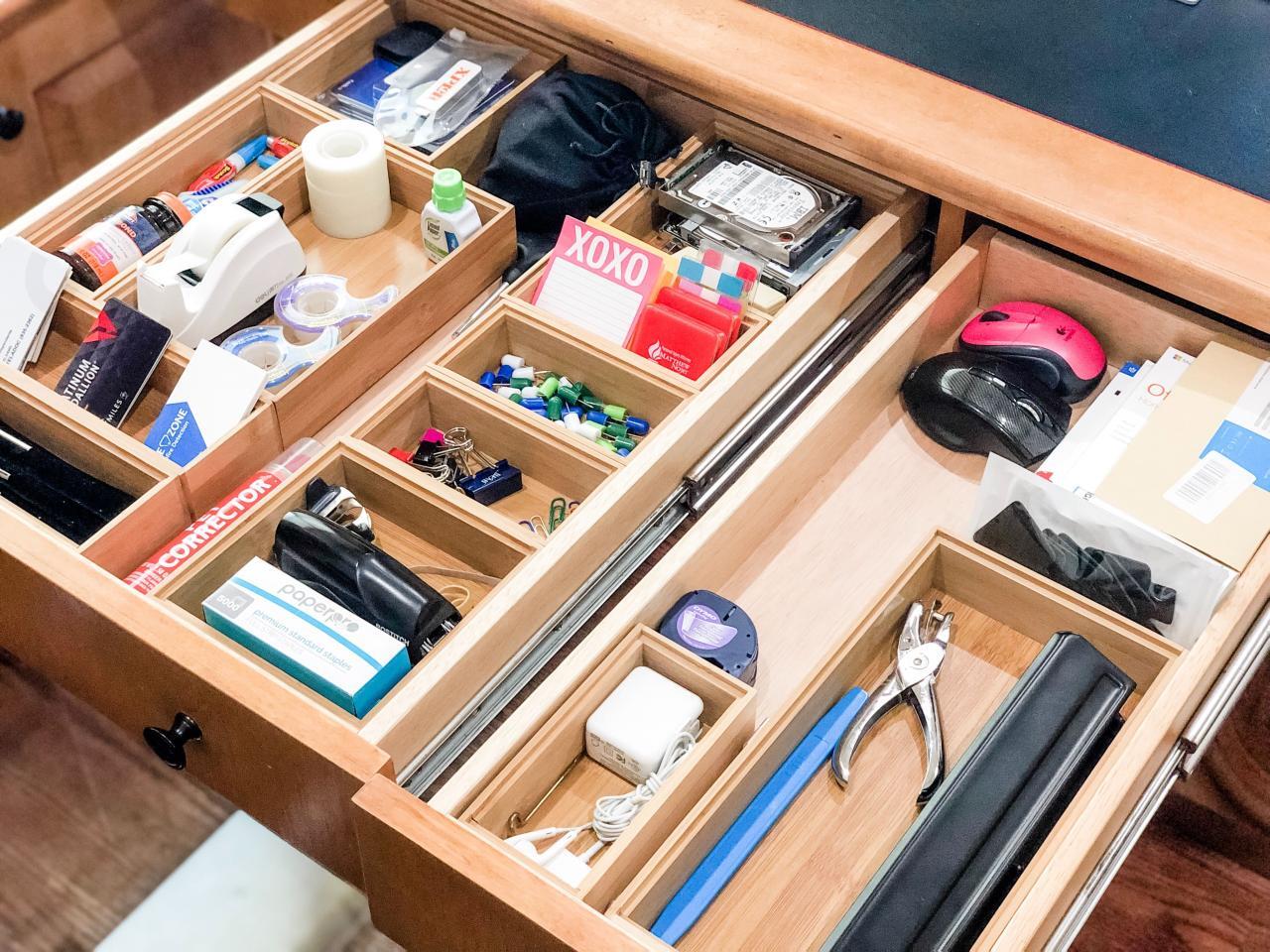
In conclusion, organizing your browser bookmarks is an essential practice that can streamline your online activities and provide a structured approach to managing your digital assets. By adopting best practices, utilizing available tools, and fostering a culture of sharing bookmark organization techniques, you can enhance both your personal productivity and collaborative efforts. Embrace these strategies and embark on a journey towards a more organized browsing experience.