In the digital age, the notes app has evolved into an indispensable productivity tool that enhances our ability to organize thoughts, tasks, and projects efficiently. With the rapid advancement in technology, these applications have adapted to meet the diverse needs of users, providing features that streamline daily activities and foster creativity. By harnessing the full potential of your notes app, you can transform it into a powerful ally in achieving your personal and professional goals.
This guide will delve into the various facets of utilizing a notes app effectively, from organizing notes to integrating third-party tools, all aimed at boosting your productivity. Whether you are a student, a professional, or someone looking to manage personal projects, understanding how to leverage your notes app can significantly enhance your workflow.
Introduction to the Notes App as a Productivity Tool
The evolution of notes applications has transformed them from simple digital notepads into sophisticated productivity tools integral to modern workflows. Initially designed for basic text entries, today’s notes apps offer diverse functionalities that streamline task management, information organization, and collaboration. As the demands for productivity increase in both personal and professional environments, leveraging a notes app can lead to remarkable enhancements in efficiency and effectiveness.Utilizing a notes app for productivity brings numerous benefits that cater to different aspects of work and life.
These applications foster organization by allowing users to categorize notes into folders, add tags, and utilize search functions to retrieve information quickly. Additionally, they support the integration of multimedia elements, such as images and voice notes, which can enrich the information captured and aid in memory retention. The ability to sync across devices ensures that notes are accessible anytime and anywhere, allowing seamless transitions between environments and enhancing continuous productivity.
Common Features of Popular Notes Apps
To maximize productivity, popular notes apps incorporate several essential features that cater to user needs. Understanding these functionalities can help individuals select the right app and utilize its capabilities effectively.One significant feature is the ability to create checklists and to-do lists, which aids in task management. Users can break down larger projects into actionable steps, ensuring that no details are overlooked.
Additionally, many notes apps support collaboration, allowing multiple users to edit and comment on notes in real-time. This is particularly beneficial for teams working on shared projects, as it fosters communication and idea sharing.Another important characteristic is the incorporation of cloud storage, enabling users to access their notes from various devices. This flexibility eliminates concerns about losing vital information and provides a backup for important data.
Many apps also offer customization options, such as themes and font styles, which allow users to tailor their experience according to personal preferences.Moreover, the integration of third-party applications enhances the functionality of notes apps. For instance, linking to calendars, task management tools, or project management software allows for a more cohesive workflow. This interconnectedness transforms a simple notes app into a central hub for productivity, facilitating better organization and prioritization of tasks.
“A comprehensive notes app can be the cornerstone of a structured, productive routine.”
Organizing Your Notes Effectively
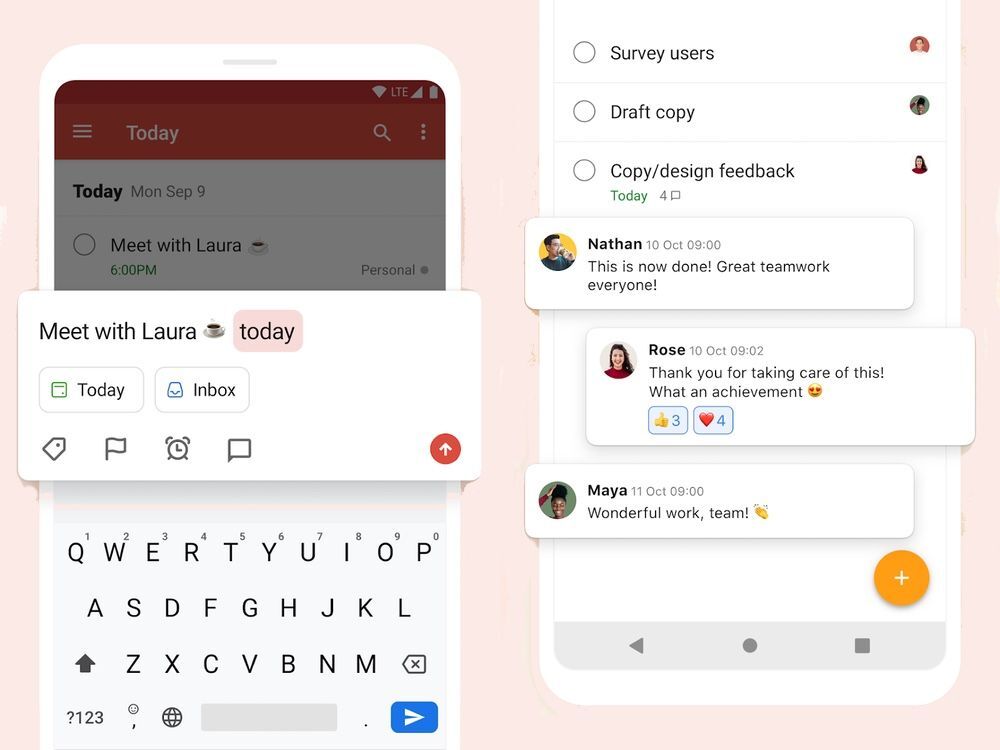
To maximize the utility of your notes app, effective organization is paramount. A well-structured note system not only enhances accessibility but also boosts productivity by allowing for quick retrieval of information when needed. This section discusses methods to categorize notes, the importance of a tagging system, and examples of various organizational structures.
Methods to Categorize Notes
Organizing notes into specific categories is essential for ensuring easy access. One effective method is to create distinct categories based on the type of content, which can be tailored to personal or professional use. The following approaches can be utilized:
- Thematic Categories: Grouping notes based on themes or subjects, such as “Work Projects,” “Personal Development,” or “Health and Fitness.” This method facilitates focused access to relevant information.
- Chronological Categories: Organizing notes by date, allowing you to track progress over time or reference past discussions and ideas. This is particularly useful for meeting notes or project timelines.
- Project-Based Categories: Creating folders or sections dedicated to specific projects or initiatives, which can include sub-notes for different aspects of each project. This method aligns content with actionable tasks.
Creating a Tagging and Labeling System
Establishing a tagging and labeling system enhances the searchability of notes within the app. Tags act as s that provide context and help in sorting notes efficiently. Here are some strategies for creating an effective tagging system:
- Use Descriptive Tags: Assign tags that accurately reflect the content of the note, such as “Urgent,” “Follow-Up,” or specific project names. Descriptive tags improve the clarity of your organizational system.
- Limit Tags per Note: To avoid clutter, limit the number of tags to three or four that best represent the note. This practice ensures that tags remain relevant and meaningful.
- Regularly Update Tags: As projects evolve or new themes emerge, review and update tags to ensure they remain aligned with the current focus and content of your notes.
Examples of Organizational Structures
Different organizational structures can be implemented within your notes app to suit varying needs. The structure you choose may depend on your workflow and personal preferences. Below are some examples:
- Lists: Creating lists for to-dos or brainstorming sessions allows for straightforward tracking of tasks or ideas. Lists can be checked off as items are completed, adding a sense of accomplishment.
- Folders: Using folder systems to separate categories, such as “Work,” “Personal,” and “Research,” helps maintain an orderly environment. Each folder can contain specific subfolders for even finer categorization.
- Mind Maps: Utilizing visual structures like mind maps can help in organizing thoughts and concepts around a central idea, making connections clearer and promoting creative thinking.
Effective organization of notes is key to enhancing productivity, enabling quick access to information, and fostering a structured approach to tasks.
Utilizing Features for Enhanced Functionality
The Notes app is equipped with various features that can significantly enhance productivity when utilized effectively. By integrating functionalities such as reminders, checklists, and voice notes, users can transform their simple note-taking into a comprehensive productivity tool. This section will delve into these features and how they can be organized into a seamless workflow.
Utilizing Reminders
Reminders serve as a pivotal feature within the Notes app, allowing users to set alerts for specific tasks or notes. This functionality ensures that important deadlines or events are not overlooked. When creating a reminder, users can associate it with a particular note, which helps in organizing tasks effectively. For instance, one might create a note for a project and set reminders for milestones within that project.
“Effective reminders lead to better time management and enhanced accountability.”
Integrating reminders into daily routines can be achieved through the following steps:
- Identify tasks that require follow-up or deadlines.
- Set reminders directly in the notes associated with those tasks.
- Review reminders daily to prioritize tasks effectively.
Creating Checklists
Checklists are another invaluable feature that can streamline productivity. They allow users to break down tasks into manageable steps, providing a clear path towards completion. This feature is particularly useful for project management and personal tasks alike.To create an effective checklist:
- Artikel all necessary steps for a project or daily tasks.
- Utilize the checklist feature to ensure that each item can be marked off upon completion.
- Regularly update your checklist to reflect progress and new tasks as they arise.
Incorporating Voice Notes
Voice notes provide a hands-free option for capturing thoughts and ideas quickly. This feature is particularly beneficial in situations where typing is impractical, such as during travel or while multitasking.Incorporating voice notes into a productivity routine can be executed as follows:
- Use voice notes to capture ideas or tasks on the go, ensuring nothing is forgotten.
- Regularly review voice notes and transcribe essential points into text notes for better organization.
Importance of Syncing Across Devices
Syncing notes across devices is crucial for ensuring seamless access to information. Whether one is using a smartphone, tablet, or computer, having access to the same notes enhances flexibility and productivity.The impact of syncing includes:
- Immediate access to updated notes from any device, promoting real-time productivity.
- Ability to start a task on one device and continue on another without losing information.
- Enhanced collaboration capabilities when sharing notes with others, enabling teamwork and collective productivity.
Integrating Third-Party Tools
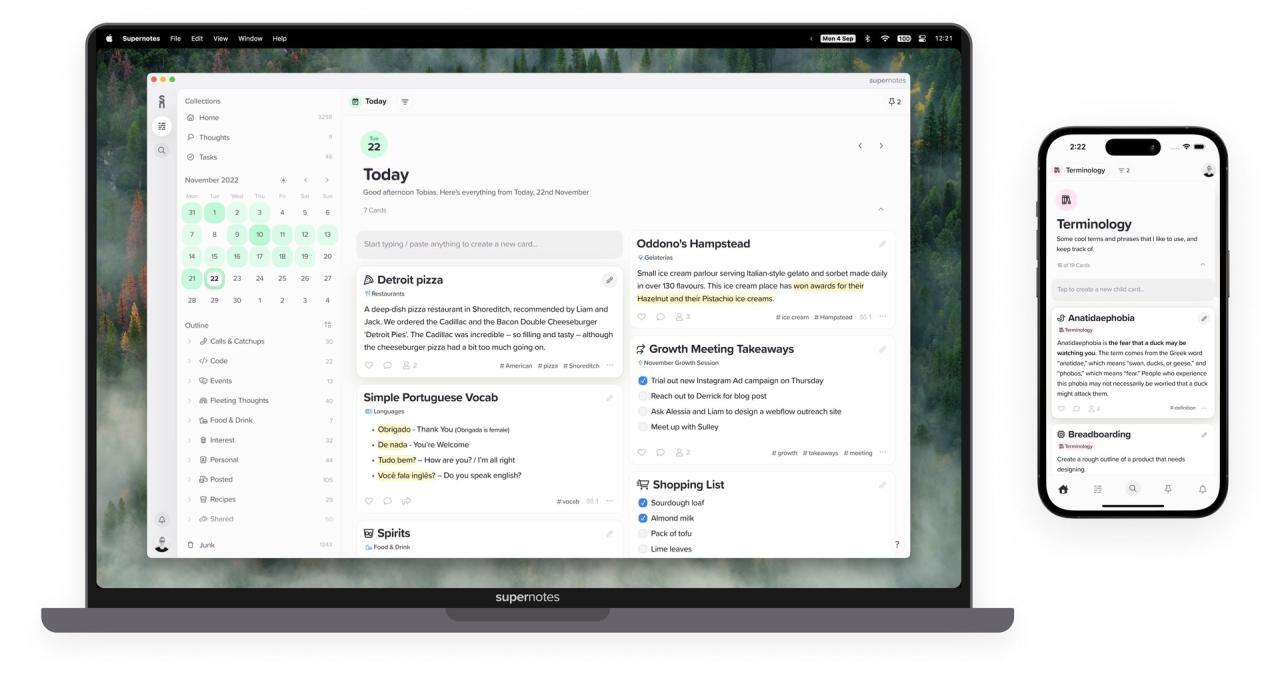
The integration of third-party tools with notes applications can significantly enhance productivity by streamlining workflows and improving organization. By connecting your notes app to various productivity tools such as calendars and task managers, you can create a more cohesive system that allows for efficient task management and scheduling. This section will explore the various methods to integrate these tools, compare popular options, and discuss automation techniques that can simplify note-taking processes.
Connecting Notes Apps with Other Productivity Tools
Integrating your notes application with other productivity tools can yield numerous benefits that enhance your overall efficiency. Connections with calendars and task managers allow for a seamless flow of information, enabling you to manage tasks and schedules directly from your notes. Below are some common integration methods:
- Calendar Integration: Syncing your notes app with calendar services like Google Calendar or Outlook can automatically import deadlines and events, turning notes into actionable reminders.
- Task Manager Integration: Connecting with tools such as Todoist or Asana allows you to create tasks directly from your notes, ensuring that important action items don’t get lost.
- Cloud Storage Integration: Linking with services like Dropbox or Google Drive keeps your notes accessible across devices and facilitates easy sharing with team members.
Comparison of Popular Integrations and Their Benefits
Several integrations stand out for their ability to enhance productivity through different features and functionalities. Understanding the benefits of each can help you choose the right tools for your workflow. Here is a comparison of popular integrations:
| Integration Tool | Key Features | Benefits |
|---|---|---|
| Google Calendar | Event syncing, reminders, scheduling | Streamlines scheduling tasks, provides reminders for deadlines, improves time management |
| Todoist | Task creation from notes, priority setting, project organization | Enhances task tracking, simplifies project management, integrates with various platforms |
| Evernote | Web clipping, tagging, advanced search | Organizes information effectively, makes retrieval easier, enhances research capabilities |
Automating Note-Taking Processes
Automation can significantly reduce the time spent on repetitive tasks related to note-taking. By utilizing third-party applications such as Zapier or IFTTT, you can set up workflows that automatically create entries in your notes app based on specific triggers. This automation not only saves time but also helps maintain consistency in note organization. For instance, you can automate the process of capturing meeting notes by linking your calendar.
When a meeting starts, a new note can automatically be created in your notes app, ready for you to fill in with relevant details.
“Automation allows you to focus on what truly matters, while routine tasks are handled seamlessly in the background.”
In addition, you can use automation to transfer tasks from other applications directly into your notes app, ensuring that you always have a comprehensive view of your responsibilities without manually entering each item. This transformative approach to note-taking can lead to a notable increase in productivity and efficiency within your daily workflow.
Creating Templates for Repeated Tasks
Creating templates for repeated tasks can significantly enhance efficiency and consistency in your workflow. By designing templates tailored to specific activities or projects, you can save time and reduce the cognitive load associated with starting from scratch for every task. This practice not only streamlines your work but also ensures that crucial information is consistently captured.Designing templates begins with identifying the common tasks or projects you frequently undertake.
For instance, if you often take meeting notes, project planning forms, or task checklists, these can serve as excellent candidates for templates. The following are examples of useful templates that can aid in enhancing productivity:
Examples of Useful Templates
Having structured templates can facilitate a smoother process for various scenarios. Here are some examples of templates that can be created:
- Meeting Notes Template: A simple structure that includes sections for date, attendees, agenda items, notes, and action items.
- Project Planning Template: A detailed layout featuring sections for project goals, timelines, milestones, assigned responsibilities, and resources needed.
- Task Checklist Template: A checklist format that allows for task descriptions, deadlines, priority levels, and completion status.
Each of these templates can be customized to fit your unique workflow and preferences. For instance, you might add a section for personal reflections or follow-up questions in your meeting notes template.
Strategies for Customizing Templates
Customization is key to ensuring that templates serve your individual needs effectively. Here are strategies to tailor templates to your workflow:
- Incorporate Personal Branding: Use consistent fonts, colors, and logos to make your templates visually appealing and reflective of your personal or organizational brand.
- Adjust for Specific Scenarios: Modify templates to address particular projects or tasks, including relevant prompts or fields that cater to unique requirements.
- Utilize Automation Features: If your notes app allows, set up automated fields that pull in data such as dates or project names to reduce manual entry.
By implementing these strategies, you can create a set of efficient templates that not only save time but also enhance the quality of your work. Templates built for repeated tasks ultimately contribute to a more organized and productive approach to managing your various responsibilities.
Establishing a Regular Review Process
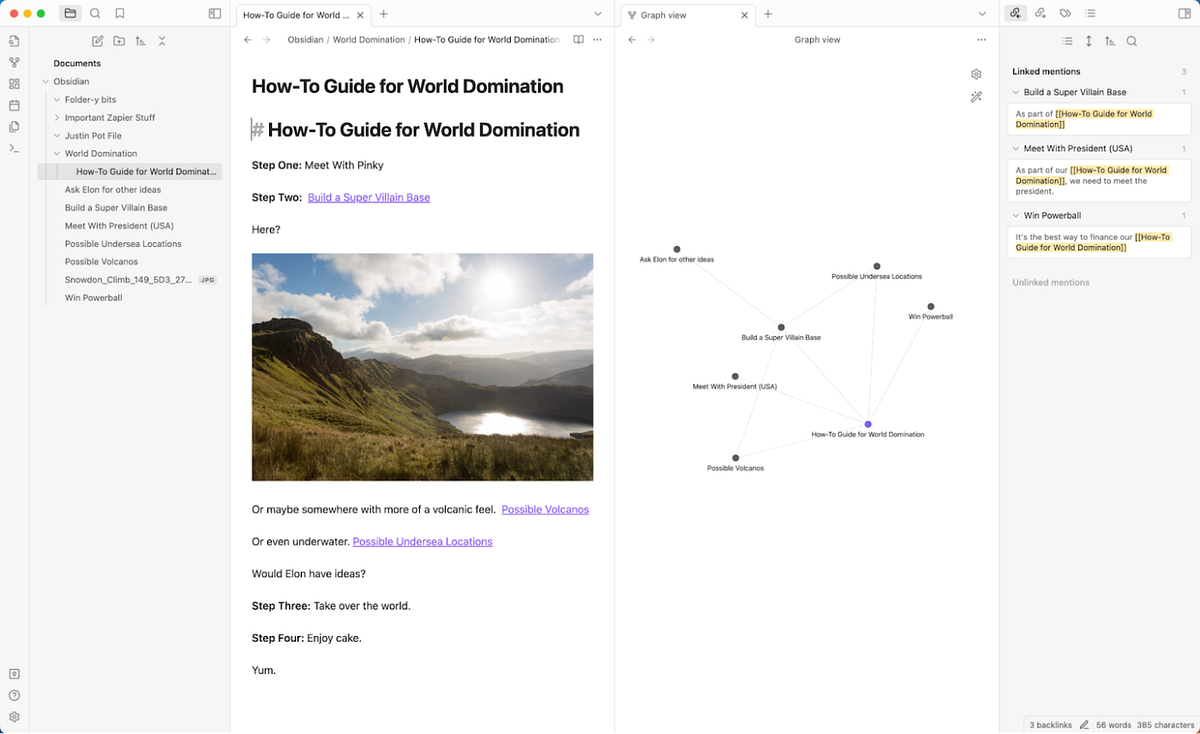
Creating a regular review process for your notes is crucial for maintaining their relevance and enhancing your productivity. This routine ensures that your notes reflect your current goals, processes, and thought patterns, allowing you to optimize your workflow effectively. Regular reviews help in identifying what works well and what needs adjustment, contributing significantly to your productivity over time.Setting up a routine for reviewing and updating notes involves dedicating specific times for reflection on the information captured within your notes.
It is beneficial to incorporate different review frequencies—daily, weekly, and monthly—to cover various aspects of your productivity. Each review type serves a distinct purpose, ensuring that you comprehensively evaluate your progress and make necessary adjustments based on your performance.
Daily Review Techniques
Daily reviews can significantly enhance your focus and clarity for the day ahead. This brief evaluation allows you to revisit your tasks and goals, ensuring that you stay aligned with your priorities. Consider incorporating the following methods into your daily review routine:
- Morning Reflection: Spend 5-10 minutes each morning reviewing your notes from the previous day. Identify any incomplete tasks and prioritize your current goals.
- End-of-Day Summary: At the end of each day, review what you accomplished and note any challenges faced. This reflection helps in planning for the next day.
- Highlight Key Learnings: Document any important insights or lessons learned during the day to enhance your understanding and retention of information.
Weekly Review Techniques
A weekly review serves as a more comprehensive analysis of your productivity over the week. This time allows you to reflect on broader trends and adjust your plans accordingly. Implement the following strategies during your weekly review:
- Progress Assessment: Analyze your completed tasks against your goals for the week. Determine what was accomplished and what remains pending.
- Identify Patterns: Look for recurring challenges or successes in your workflow. Understanding these patterns can help you make informed adjustments.
- Set Goals for Next Week: Based on your assessment, set specific and achievable goals for the upcoming week, ensuring they align with your long-term objectives.
Monthly Review Techniques
Monthly reviews provide an opportunity for a more strategic evaluation of your overall productivity and effectiveness. This larger timeframe allows for the assessment of trends and long-term improvement. Consider the following elements during your monthly review:
- Comprehensive Goal Review: Evaluate the progress made towards your monthly goals. Reflect on success, setbacks, and growth opportunities.
- Project Analysis: Review major projects or initiatives undertaken during the month. Consider their outcomes and the lessons learned for future projects.
- Strategic Adjustment: Based on your findings, adjust your goals and strategies for the coming month to ensure continuous improvement.
“Regularly reviewing and updating your notes not only keeps your information relevant but also aligns your daily actions with your long-term goals.”
Enhancing Collaboration with Notes Apps
In today’s fast-paced work environment, collaboration is key to achieving successful outcomes in projects. Utilizing notes apps can significantly enhance collaboration among team members or collaborators. This section will delve into effective methods for sharing notes, designing strategies for collaborative projects, and the critical importance of version control and note history in teamwork.
Methods for Sharing Notes
Sharing notes effectively can streamline communication and ensure that all collaborators are on the same page. Various notes apps offer built-in sharing features that allow users to invite others to view or edit documents in real-time. When sharing notes, consider the following methods:
- Direct Sharing: Most notes apps allow users to share links directly to notes or notebooks via email or messaging apps. This instant access keeps everyone informed.
- Collaborative Editing: Utilize features that enable multiple users to edit notes simultaneously. This fosters immediate feedback and encourages group brainstorming.
- Permissions Management: Control who can view or edit notes by adjusting permissions. This helps maintain the integrity of the information while allowing for collaborative contributions.
Strategy for Collaborative Projects
Establishing a structured strategy for collaborative projects using shared notes can drastically improve efficiency and productivity. A clear plan allows team members to align their efforts and track progress.Consider implementing the following steps:
- Define Objectives: Artikel the goals of the project clearly within the shared notes. This serves as a reference point for all collaborators.
- Assign Roles: Use the notes app to designate specific responsibilities to team members, ensuring everyone knows their tasks and deadlines.
- Regular Updates: Schedule regular check-ins via the notes app to update progress and make necessary adjustments, maintaining momentum throughout the project.
Importance of Version Control and Note History
In collaborative environments, maintaining a history of changes is vital for effective teamwork. Version control and note history features provide transparency and accountability among team members.The significance of these features lies in:
- Tracking Changes: Version control allows users to view past versions of notes and see who made specific edits. This can be crucial for accountability and understanding the evolution of ideas.
- Restoration of Previous Versions: If an erroneous edit occurs, the option to revert to an earlier version can save time and prevent misunderstandings.
- Collaborative Learning: Observing changes made by team members can foster a learning environment, where individuals can gain insights from each other’s contributions.
“Effective collaboration requires not just sharing notes but also understanding the dynamics of teamwork through tools designed to enhance communication and productivity.”
Tips for Maintaining Focus and Reducing Distractions
In our increasingly busy lives, maintaining focus while using digital tools can be challenging. A notes app can serve as a valuable resource for organizing thoughts and tasks, but distractions can easily derail productivity. By implementing effective strategies and utilizing focus-enhancing features, users can maximize their productivity and create a more conducive environment for concentration.To minimize distractions while using notes apps, it is essential to adopt a multipronged approach.
This involves creating a suitable environment, utilizing built-in features designed to enhance focus, and adopting productivity hacks that help streamline the note-taking process.
Strategies for Minimizing Distractions
Creating a distraction-free environment is fundamental to enhancing focus. Below are strategies that can be integrated into your daily routine:
- Set Specific Goals: Define clear objectives for each session in your notes app, which can help maintain direction and momentum.
- Turn Off Notifications: Disable notifications not only from the notes app but also from other applications on your device to minimize interruptions.
- Designate a Workspace: Choose a specific area for note-taking that is free from distractions. This physical boundary can help signal to your brain that it is time to focus.
- Utilize Focus Time Blocks: Schedule dedicated time blocks for using the notes app, during which you focus solely on that task, akin to the Pomodoro Technique.
Utilizing Focus Features
Modern notes apps often come equipped with features designed to enhance focus. These tools can significantly reduce distractions and create a more immersive experience.
- Dark Mode: Switching to dark mode can reduce eye strain and help maintain focus, especially in low-light environments. This setting can foster a calming atmosphere conducive to concentration.
- Distraction-Free Mode: Many notes apps offer a distraction-free writing mode that removes visual clutter and focuses entirely on the text. This can help users immerse themselves in the writing process.
- Disabling Background Applications: Consider closing other applications not in use while working in your notes app to minimize potential distractions from other programs.
Productivity Hacks to Enhance Focus
In addition to environment and app features, adopting specific productivity hacks can further enhance concentration while using notes apps.
- Keyboard Shortcuts: Familiarizing oneself with keyboard shortcuts can streamline the note-taking process and reduce time spent navigating menus.
- Voice Notes: Utilizing voice input features can enable quicker note-taking and reduce the cognitive load associated with typing, allowing for more natural thought flow.
- Color-Coding System: Implement a color-coding system for tasks and notes, making it easier to locate important information quickly without sifting through text.
- Regular Breaks: Integrate short breaks into your note-taking sessions to prevent mental fatigue and maintain high levels of focus during work periods.
Final Review
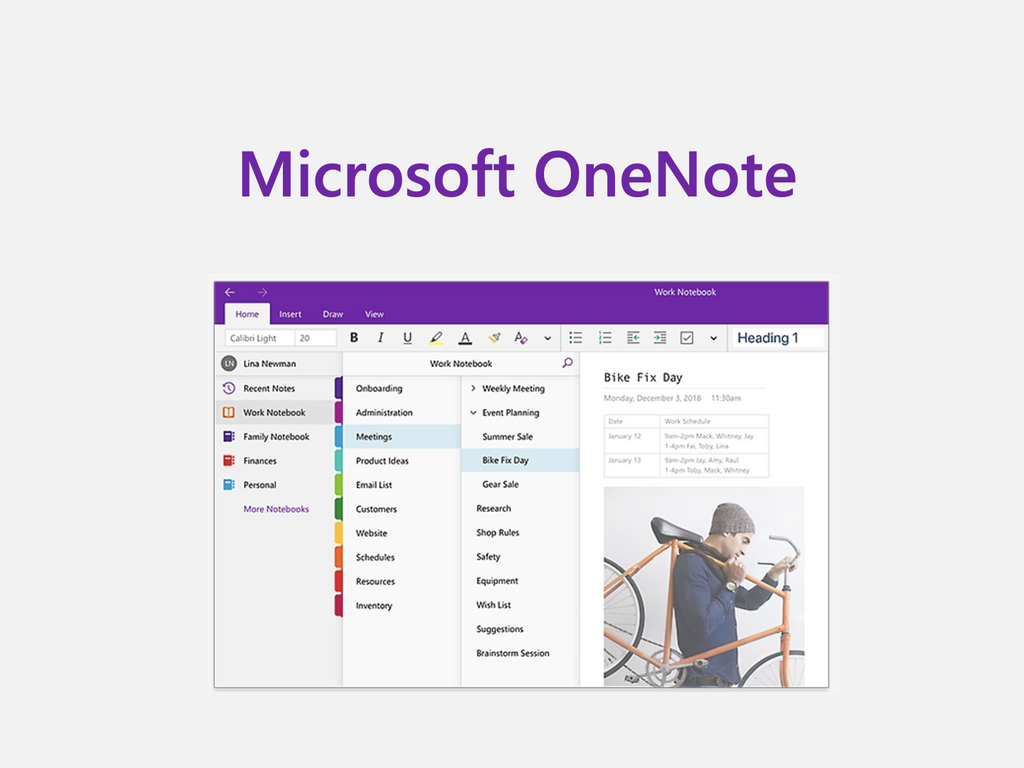
In conclusion, turning your notes app into a productivity tool is not merely about digitizing your thoughts, but rather about creating a structured and efficient system that supports your daily routines. By implementing strategies such as effective organization, feature utilization, and collaboration, you can optimize your notes app to meet your specific needs. As you embark on this journey, remember that the key lies in consistent practice and regular updates, allowing your notes app to evolve alongside your productivity goals.