In today’s fast-paced world, distractions are omnipresent, making it increasingly difficult to maintain focus and productivity. How to Use Focus Apps to Block Out Distractions addresses this pressing concern by providing a comprehensive overview of focus applications designed to enhance concentration and minimize interruptions. These tools not only help users manage their time efficiently but also empower them to create an environment conducive to deep work.
By understanding the fundamental features and benefits of focus apps, exploring the various types available, and learning how to customize and set them up effectively, individuals can significantly improve their productivity. This guide aims to equip readers with the knowledge and strategies necessary to overcome common challenges associated with focus apps, ensuring a more streamlined approach to achieving their goals.
Understanding Focus Apps
Focus apps are designed to enhance productivity by minimizing distractions in our increasingly digital lives. These applications employ various strategies to help users maintain concentration and optimize their working environments. Commonly found on both desktop and mobile devices, focus apps are equipped with features that facilitate time management and task prioritization. The benefits of using focus apps extend beyond mere distraction reduction; they can significantly improve overall productivity levels.
By creating structured work sessions and incorporating breaks, these applications encourage users to work more efficiently. Focus apps help in reducing distractions by blocking notifications from other applications, enabling users to immerse themselves fully in their tasks.
Main Features of Focus Apps
Understanding the core features of focus apps is essential for maximizing their potential. These features often include:
- Distraction Blocking: Many focus apps allow users to block access to distracting websites and applications during work sessions. This feature prevents interruptions and keeps the user’s attention directed towards the task at hand.
- Time Management Tools: A variety of time management techniques, such as the Pomodoro Technique, are integrated into focus apps. This method recommends working for 25 minutes followed by a 5-minute break, thereby promoting sustained focus.
- Task Tracking: Users can create, prioritize, and track tasks within the app. This functionality ensures that important tasks are not overlooked and enhances accountability.
- Progress Reports: Many focus apps provide analytics on productivity patterns, offering insights into when users are most productive. These reports can guide adjustments to work habits for improved efficiency.
- Customizable Notifications: Users can tailor notifications to their preferences, ensuring that only essential alerts are received during work hours, thereby minimizing interruptions.
Benefits of Using Focus Apps for Productivity
Utilizing focus apps can lead to numerous advantages that contribute to increased productivity. Some key benefits include:
- Enhanced Concentration: By eliminating potential disruptions, focus apps provide a quiet environment for users to concentrate on their work.
- Improved Time Management: With structured work sessions and breaks, users can effectively allocate their time, resulting in greater task completion rates.
- Increased Accountability: Tracking tasks and progress encourages users to stay committed to their goals, fostering a sense of responsibility for their work.
- Reduction of Mental Clutter: Focus apps help streamline tasks and minimize overwhelming feelings, allowing users to focus on what is most important.
- Boosted Motivation: The ability to visualize progress through analytics can inspire users to maintain productivity levels and achieve set goals.
Strategies for Reducing Distractions with Focus Apps
Employing effective strategies within focus apps can greatly aid in minimizing distractions. Consider the following techniques:
- Setting Clear Goals: Clearly defined objectives can guide users in directing their efforts effectively, reducing the chance of straying from tasks.
- Customizing Focus Sessions: Users should configure the duration of focus times and breaks to suit their personal work rhythms, thereby enhancing effectiveness.
- Utilizing Focus Modes: Many focus apps offer modes such as “Do Not Disturb,” which suppress notifications and alerts, fostering an uninterrupted work atmosphere.
- Regularly Reviewing Progress: Engaging in periodic reviews of productivity can help users identify patterns and adjust their focus strategies as needed, ensuring continuous improvement.
- Creating a Productive Environment: Users should pair the use of focus apps with a conducive physical workspace, as this can significantly amplify their effectiveness in reducing distractions.
Types of Focus Apps
Focus apps are essential tools designed to enhance productivity by minimizing distractions. These applications come in various forms, each tailored to address specific challenges that individuals face while trying to concentrate. By understanding the different types of focus apps available, users can select those that best fit their needs, thereby creating an environment conducive to sustained focus and efficiency.Focus apps can be categorized into several types based on their functionalities and features.
Each type serves a distinct purpose, and many offer unique tools to bolster concentration. Below is a detailed overview of the various categories of focus apps, along with examples and their notable features.
Productivity Timers
Productivity timers help users manage their time effectively and encourage focused work sessions. These apps typically use techniques like the Pomodoro Technique, which promotes short bursts of work followed by short breaks.
- Forest: This app gamifies the concept of focusing by allowing users to grow a virtual tree while they work. If the user leaves the app, the tree dies, motivating them to stay focused.
- Focus Booster: A user-friendly app that implements the Pomodoro Technique, allowing users to customize work and break durations, track their sessions, and review their productivity trends.
Website Blockers
Website blockers are essential for preventing access to distracting sites during work hours. They help users maintain focus by limiting their ability to deviate from their tasks.
- Cold Turkey: A robust website blocker that allows users to create blacklists or whitelists of websites. Users can even set time limits for specific sites to ensure they remain productive.
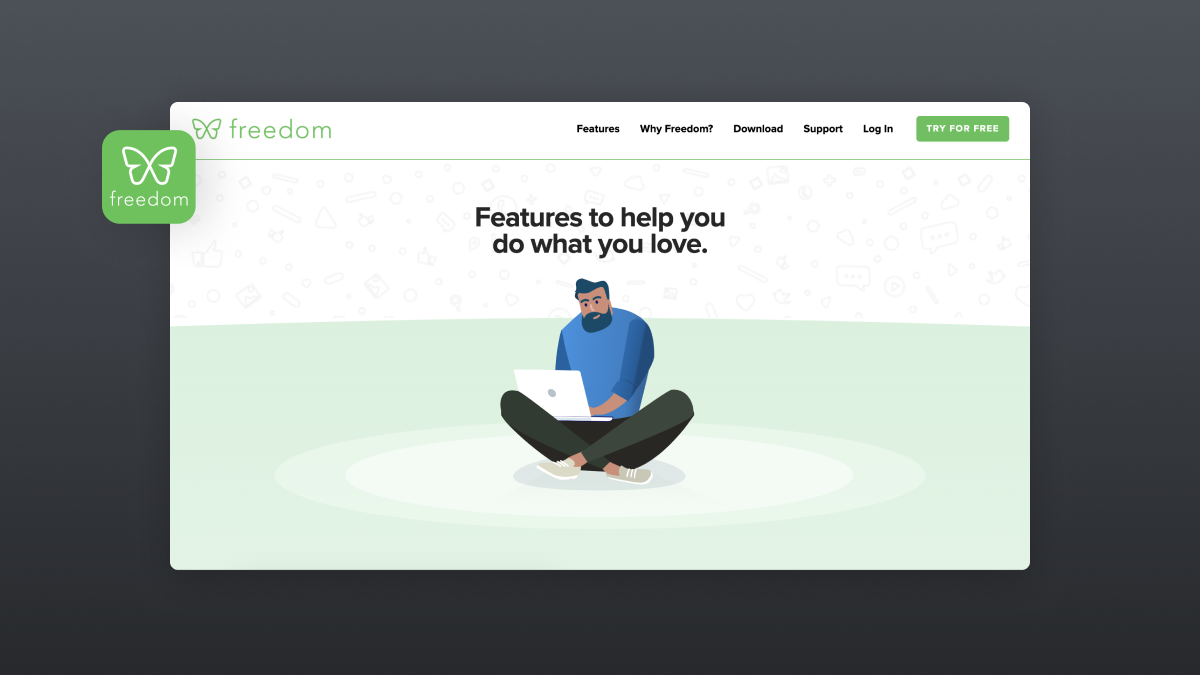
- Freedom: This app allows users to block websites and apps across multiple devices simultaneously. Users can schedule sessions in advance or start them instantly to enhance focus.
Task Management Apps
Task management apps assist users in organizing their tasks and projects, which can significantly enhance focus by providing clarity on priorities and deadlines.
- Trello: A visual project management tool that uses boards, lists, and cards to help users organize tasks. It allows for collaboration and prioritization, ensuring that users can focus on what matters most.
- Todoist: An intuitive task manager that enables users to create and categorize tasks with deadlines, reminders, and priority levels, helping them maintain focus on their goals.
Meditation and Mindfulness Apps
Meditation and mindfulness apps offer techniques that help improve concentration and mental clarity. These tools often include guided sessions that promote relaxation and focus.
- Headspace: This app provides guided meditation sessions specifically designed to boost focus and mindfulness, helping users cultivate a more centered approach to their tasks.
- Calm: Calm offers a range of meditation practices, sleep stories, and breathing exercises aimed at reducing stress and enhancing concentration, making it easier for users to focus on their work.
“The right focus app can transform your work habits and create a more productive environment.”
Setting Up Focus Apps
Setting up focus apps is a crucial step toward managing distractions and enhancing productivity. These applications provide users with tools to create a conducive work environment, minimizing interruptions and promoting concentration. The installation and initial configuration of these apps may vary, but the overarching process remains similar across different platforms.
Downloading and Installing Focus Apps
The first step in utilizing focus apps involves downloading and installing them on your device. Below is a step-by-step guide to assist you in this process, which can be applied to most focus applications available on various platforms:
1. Identify the Desired App
Research different focus apps that suit your needs, such as Forest, Freedom, or Focus@Will.
2. Access the App Store
For mobile devices, navigate to the Apple App Store or Google Play Store. For desktop users, visit the app’s official website.
3. Search for the App
Use the search function to find the specific focus app you wish to download.
4. Download the App
Click on the ‘Download’ or ‘Install’ button. Ensure you are downloading from a reputable source to avoid security risks.
5. Follow Installation Prompts
After downloading, follow the on-screen instructions to install the app on your device. This may include granting necessary permissions.
6. Launch the App
Once installed, locate the app icon and click on it to open the application.
Initial Setup Process for Commonly Used Focus Apps
After installation, configuring the app correctly is essential for optimal use. Each focus app has its unique features and settings, but the initial setup typically includes the following steps:
Create an Account
Most focus apps require users to create an account. This may involve providing an email address and setting a password.
Customize Preferences
Users can often customize their experience by adjusting settings such as work intervals, break times, and notification preferences.
Set Goals
Many apps allow users to set productivity goals, helping to track their progress over time.
Explore Features
Familiarize yourself with the app’s features, such as focus timers, soundscapes, or website blockers, enhancing your experience.
Comparison of Setup Features Across Different Apps
To provide a clearer understanding of the initial setup features available in various focus apps, a comparison table is presented below. This table highlights key aspects such as account creation, customization options, and unique functionalities.
| Focus App | Account Creation | Customization Options | Unique Features |
|---|---|---|---|
| Forest | Required | Work intervals, break times | Gamification of focus time |
| Freedom | Required | Blocked websites, scheduling | Multi-device syncing |
| Focus@Will | Required | Music genres, productivity levels | Scientifically optimized soundtracks |
Customizing Focus Apps

Personalizing focus apps is essential for maximizing their effectiveness in combating distractions. Each individual has unique work habits, preferences, and goals, which necessitates tailored settings to ensure that these tools work optimally for their specific needs. Understanding how to customize these applications can significantly enhance productivity and create a more conducive working environment.Customizing focus apps involves adjusting settings, integrating with other platforms, and utilizing features that align with personal working styles.
Many focus apps provide a variety of customization options that allow users to modify notifications, themes, and functionalities to streamline their experience. Integrating these apps with other tools can further enhance their effectiveness by providing a cohesive workflow.
Integration Techniques and Customization Options
Integrating focus apps with other productivity tools can lead to a more fluid working process. Some popular methods of integration include:
Calendar Syncing
Linking focus apps with your calendar allows for seamless scheduling of focus sessions alongside meetings and deadlines. This ensures that focus time is respected and prioritized.
Task Management Integration
Connecting apps like Todoist or Trello can help in managing tasks more efficiently, allowing users to focus on high-priority items without distractions from lower-priority tasks.
Communication Tools
Integrating with platforms such as Slack or Microsoft Teams can help communicate your availability during focus time, reducing interruptions from colleagues.To further enhance the effectiveness of focus apps, numerous customization options are available:
Notification Settings
Tailor notifications to minimize interruptions during focus sessions, allowing alerts only for essential communications.
Themes and Layouts
Customize the visual appearance of the app to create an engaging and motivating environment that suits personal preferences.
Focus Timers
Adjust the length and structure of focus sessions, such as the Pomodoro technique, which alternates between work and short breaks to maintain concentration.
Whitelist or Blacklist Websites
Control which websites are accessible during focus time to avoid distractions from non-work-related content.
Custom Sounds or Music Integration
Incorporate personal playlists or ambient soundscapes that enhance focus and drown out background noise.By leveraging these customization options and integration techniques, users can create a personalized focus environment that aligns with their work habits and enhances overall productivity.
Strategies for Effective Use of Focus Apps
Maximizing concentration while using focus apps requires a blend of best practices and strategic time management techniques. Implementing these strategies can significantly enhance productivity and ensure that distractions are minimized effectively. By understanding how to use focus apps to their fullest potential, individuals can create an environment conducive to deep work and sustained attention.
Best Practices for Using Focus Apps
Establishing best practices for focus app usage is essential for maximizing concentration. The following points highlight effective methods to enhance engagement with focus apps:
- Set Clear Goals: Define specific, measurable objectives before starting a focus session, as this provides direction and purpose.
- Limit Notifications: Disable unnecessary notifications from other applications to prevent distractions during focus sessions.
- Create a Dedicated Workspace: Establish a designated area for work where focus apps are utilized, promoting a mental association with concentration.
- Schedule Breaks: Incorporate regular breaks using techniques like the Pomodoro Technique, which encourages productivity intervals followed by short rest periods.
- Use Background Music or Sounds: Integrate ambient sounds or music that enhances focus without being distracting, aiding concentration during work sessions.
Time Management Techniques Aligned with Focus App Usage
Effective time management is crucial for maximizing the benefits of focus apps. The following techniques can help streamline workflows:
- Time Blocking: Allocate specific blocks of time for tasks while utilizing focus apps to maintain a structured workflow.
- Prioritization: Use the Eisenhower Matrix to distinguish between urgent and important tasks, focusing on what needs immediate attention during focus app usage.
- Goal Setting: Implement SMART (Specific, Measurable, Achievable, Relevant, Time-bound) goals to ensure clarity in what needs to be accomplished.
- Reflection and Adjustment: Regularly review productivity levels and adjust strategies to optimize the effectiveness of focus app usage.
Strategies Overview and Expected Outcomes
The following table summarizes various strategies for using focus apps and their anticipated outcomes, providing a clear reference for individuals aiming to enhance their productivity.
| Strategy | Expected Outcome |
|---|---|
| Set Clear Goals | Increased focus and direction during work sessions. |
| Limit Notifications | Reduced distractions and interruptions, leading to improved concentration. |
| Create a Dedicated Workspace | Enhanced mental readiness and reduced environmental distractions. |
| Schedule Breaks | Improved mental stamina and sustained productivity over longer periods. |
| Use Background Music or Sounds | Increased engagement and focus through conducive auditory environments. |
| Time Blocking | Structured work periods resulting in higher efficiency in task completion. |
| Prioritization | Clarity in task importance, ensuring critical tasks are completed first. |
| Goal Setting | Clearer focus on objectives leading to improved outcomes. |
| Reflection and Adjustment | Continuous improvement in productivity strategies based on feedback and results. |
Implementing these strategies can transform the way focus apps are utilized, fostering an environment where concentration thrives.
Overcoming Challenges with Focus Apps
Focus apps are designed to enhance productivity by minimizing distractions; however, users often encounter various challenges when implementing them. These challenges can hinder effective usage and lead to frustration. Understanding and addressing these obstacles is crucial for maximizing the benefits of focus apps.Common challenges users face include difficulty in maintaining consistency, distractions from external sources, and the temptation to revert to old habits.
Additionally, the initial setup and customization of these apps can prove overwhelming for some individuals. Recognizing these issues allows users to adopt strategies that ensure a smoother experience with focus apps.
Common Challenges and Solutions
Identifying challenges is the first step toward effectively overcoming them. Below are some prevalent obstacles along with actionable solutions for each:
- Difficulty in Maintaining Consistency: Users may struggle to use focus apps regularly, leading to sporadic productivity.
“Creating a daily routine that incorporates the use of focus apps can help establish consistency.”
- External Distractions: Surrounding environments can disrupt concentration, making it hard to stay focused despite using an app.
“Consider using noise-canceling headphones or ambient sound playlists to create a more conducive environment.”
- Overwhelm from Features: The array of features in many focus apps can be intimidating, leading to confusion and disengagement.
“Start with the essential features and gradually explore additional functionalities to avoid feeling overwhelmed.”
- Reverting to Old Habits: Users might fall back into previous unproductive habits, negating the benefits of the app.
“Setting specific goals and tracking progress can help reinforce positive habits and deter regression.”
Dos and Don’ts for Using Focus Apps
To maintain focus and achieve productivity goals when utilizing focus apps, adhering to certain practices is essential. The following points Artikel effective dos and don’ts:
- Dos:
- Regularly assess and adjust your focus app settings to fit your evolving needs.
- Incorporate short breaks into your focus sessions to prevent burnout.
- Engage with app communities for tips and support.
- Use reminders to encourage app usage and stay on track with goals.
- Don’ts:
- Avoid multi-tasking while using focus apps, as this can lead to decreased efficiency.
- Do not ignore notifications from the app that may prompt important updates or changes.
- Refrain from using focus apps in a chaotic environment that contradicts their purpose.
- Do not hesitate to take a break from the app if it becomes counterproductive; re-evaluate its effectiveness.
By being aware of these challenges and adhering to the Artikeld dos and don’ts, users can effectively navigate the world of focus apps and enhance their productivity.
Measuring the Effectiveness of Focus Apps
Assessing the impact of focus apps on productivity levels is essential for understanding their effectiveness in reducing distractions and enhancing focus. By employing various measurement techniques, users can obtain valuable insights regarding how well these tools assist in achieving their goals. This understanding not only informs personal usage strategies but also enables informed adjustments to maximize productivity.
Assessing Impact on Productivity Levels
Evaluating the effectiveness of focus apps involves analyzing productivity changes before and after their implementation. Key performance indicators (KPIs) such as task completion rates, time spent on productive activities, and overall output can serve as valuable metrics. Tracking time spent on tasks provides a structured approach to measure productivity. Users can consider the following methods:
1. Time Tracking Tools
Utilize built-in tracking features within focus apps or external time management tools to log hours spent on specific tasks.
2. Pomodoro Technique
Implementing this method encourages working in focused intervals (typically 25 minutes) followed by short breaks, aiding in tracking productivity within defined periods.
3. Daily or Weekly Reports
Generate reports that summarize hours worked on different tasks, allowing users to compare their productivity levels over time.By maintaining these records, users can visualize changes in their productivity and identify patterns, which are crucial for assessing the overall impact of focus applications.
Feedback Mechanisms for Continuous Improvement
Establishing feedback mechanisms is vital for making informed decisions regarding focus app usage. Collecting insights from both self-assessment and external feedback can drive continuous improvement. Effective strategies include:
Self-Reflection
Periodically evaluating which focus apps enhance productivity and which do not can lead to more effective choices. Keeping a journal to document everyday experiences with these tools can streamline this process.
Peer Feedback
Engaging with colleagues or peers who also utilize focus apps can provide an external perspective on their effectiveness. Group discussions or informal feedback sessions can yield new insights.
Analytics and Reports
Many focus apps provide analytics features that detail usage patterns, time spent on tasks, and productivity metrics. Reviewing these reports on a regular basis helps users identify successful strategies and areas needing adjustment.By implementing these feedback mechanisms, users can adapt their focus app usage to better fit their individual and professional needs, ultimately enhancing their productivity further.
Future of Focus Apps
As we look ahead to the future of focus applications, it is essential to recognize the rapid advancements in technology that are poised to enhance the ways these tools support individuals in managing distractions and maximizing productivity. The evolution of focus apps will likely be characterized by more sophisticated features and improved user experiences, driven by emerging trends and technological innovations.Advancements in focus app technology are expected to be significantly influenced by developments in artificial intelligence (AI) and machine learning.
These advancements aim to tailor focus experiences to individual user needs and preferences, thereby enhancing the overall effectiveness of the apps. The continuous integration of data analytics will allow for a personalized approach, adapting to users’ habits and workflows over time.
Integration of AI and Machine Learning
The integration of AI and machine learning is set to revolutionize focus apps by introducing capabilities that were previously unimaginable. These technologies will enable focus apps to analyze user behavior and provide targeted interventions to foster concentration. The following points illustrate how AI and machine learning will influence focus apps:
- Real-time Feedback: AI algorithms can monitor user interactions with their devices and provide instant feedback on productivity levels, allowing users to make adjustments as needed.
- Personalized Recommendations: By analyzing patterns in users’ focus times and break periods, machine learning can suggest optimal work schedules tailored to individual productivity peaks.
- Smart Distraction Management: Focus apps may employ AI to identify potential distractions in the user’s environment, such as notifications or social media activities, and proactively eliminate or minimize them.
- Adaptive Learning: As users interact with focus apps, machine learning algorithms will learn from their habits, enhancing the app’s ability to provide increasingly relevant suggestions over time.
- Enhanced User Engagement: Gamification elements powered by AI could be implemented, encouraging users to meet their focus goals through rewards and challenges, thereby increasing motivation.
Furthermore, the future of focus apps will likely be shaped by trends such as the growing emphasis on mental health and well-being, as well as the increasing adoption of remote work. As individuals seek to maintain balance and focus in their work environments, focus apps will play a crucial role in promoting productivity while also supporting mental well-being.
“The future of focus apps is rooted in technology that not only helps users concentrate but also nurtures their mental health and overall productivity.”
In conclusion, as we anticipate these advancements and trends, it is clear that the future of focus apps will involve a dynamic interplay of technology, user preferences, and a deeper understanding of human productivity. These developments will ultimately lead to more effective tools that empower users to achieve their focus-oriented goals with greater ease and efficiency.
Conclusion
In conclusion, utilizing focus apps effectively can lead to remarkable improvements in productivity and concentration. By implementing the strategies discussed, and customizing these tools to fit individual needs, users can create a tailored experience that fosters a more focused work environment. As technology continues to advance, the future of focus apps promises even greater enhancements, making it essential for individuals to stay informed and adaptive in their pursuit of peak productivity.