In today’s fast-paced work environment, effective communication tools like Slack and Microsoft Teams play a crucial role in facilitating collaboration and enhancing productivity. However, without proper management, these platforms can become sources of distraction, detracting from the very efficiency they aim to create. This discussion aims to explore the intricacies of using these tools effectively while minimizing interruptions and maximizing productivity.
We will delve into the fundamental characteristics of Slack and Teams, identify common productivity challenges, and provide actionable best practices to ensure that your use of these communication platforms contributes positively to your work experience.
Understanding Slack and Teams
In the modern workplace, collaboration tools such as Slack and Microsoft Teams have become essential for enhancing communication and productivity. Understanding the primary functions and unique features of these platforms can help organizations choose the right tool for their specific needs.Slack is designed primarily as a messaging platform that facilitates real-time communication among teams. It features channels for organized discussions, direct messaging for one-on-one conversations, and integration capabilities with various third-party applications.
The platform emphasizes user-friendly interactions, allowing team members to share files, conduct video calls, and collaborate on projects seamlessly. Slack’s flexibility and customization options enable teams to tailor their workspace to fit their workflows.
Key Features of Slack
Slack offers a range of functionalities that support effective team collaboration. These features include:
- Channels: Organized spaces for discussions based on projects, topics, or teams, allowing members to focus on relevant conversations.
- Direct Messaging: Enables private conversations between team members for quick exchanges without cluttering channels.
- File Sharing: Users can easily upload and share documents, images, and other files directly within conversations.
- Integrations: Supports a vast array of integrations with other tools like Google Drive, Trello, and Zoom, enhancing productivity.
- Search Functionality: Advanced search capabilities allow users to quickly retrieve past messages, files, and conversations.
Key Attributes of Microsoft Teams
Microsoft Teams stands out from Slack through several distinct features that cater to a different user demographic, particularly those already utilizing the Microsoft Office ecosystem. Key attributes of Teams include:
- Video Conferencing: Integrated video meetings with robust features such as screen sharing and meeting recordings make it suitable for virtual collaboration.
- Office Integration: Seamless integration with Microsoft Office 365 applications facilitates document collaboration directly within Teams.
- Teams and Channels: Similar to Slack, but with added functionality for creating sub-teams, enhancing project management capabilities.
- Security and Compliance: Strong enterprise-level security features cater to organizations with strict compliance requirements.
- Task Management: Built-in task management tools allow for tracking assignments and deadlines directly within the platform.
User Demographics and Use Cases
While both platforms are designed for enhancing workplace communication, their user demographics and use cases exhibit notable differences. Slack is often favored by tech companies, startups, and creative agencies that prioritize agile communication and integration flexibility. It is particularly effective for teams that require fast-paced engagement and a collaborative atmosphere.On the other hand, Microsoft Teams is preferred by larger enterprises and organizations that already use Microsoft’s suite of products.
The platform’s strength lies in its ability to integrate with existing workflows and provide a centralized location for communication and project management, making it ideal for structured environments such as corporate offices and educational institutions.
“The choice between Slack and Microsoft Teams should be guided by your organization’s existing tools, size, and communication style.”
In summary, both Slack and Microsoft Teams offer unique advantages depending on the specific needs and context of the organization. By understanding their respective features and suitability, teams can enhance their productivity and streamline workflows effectively.
Identifying Productivity Challenges

In the digital landscape of modern workplaces, tools like Slack and Microsoft Teams offer unparalleled connectivity and collaboration. However, the very features that enrich our communication can also be significant distractors that impede productivity. Understanding these challenges is crucial for optimizing the use of such platforms while maintaining focus on tasks.Distractions in workplace communication applications are often multifaceted, affecting concentration and workflow.
Notifications, constant messages, and the temptation to engage in casual conversations can disrupt an employee’s focus, leading to frequent task-switching. This not only derails the flow of work but also consumes cognitive resources, which can ultimately diminish overall productivity.
Common Distractions in Slack and Teams
Identifying specific distractions that arise from using communication tools is essential for mitigating their impact. The following points Artikel prevalent disruptions:
- Frequent Notifications: Instant alerts for new messages or mentions can lead to interruptions, causing users to lose their train of thought.
- Message Overload: The influx of messages, especially in busy channels, can overwhelm users, making it challenging to prioritize relevant information.
- Casual Conversations: Engaging in off-topic discussions may be enjoyable but can detract from focused work time, leading to procrastination.
- Multitasking Temptation: The ability to switch between channels and threads encourages multitasking, which has been shown to reduce efficiency and the quality of work.
The impact of these distractions is not merely anecdotal. Research indicates that excessive use of communication tools can lead to significant productivity loss. According to a study by the University of California, multitasking can reduce productivity by up to 40%. Furthermore, the constant switching between tasks can result in cognitive costs that have long-term effects on work quality and overall job satisfaction.
Features That May Hinder Productivity
While Slack and Teams are designed to enhance productivity, certain features can inadvertently hinder effectiveness. Understanding these features is vital to addressing their potential drawbacks:
- Endless Threading: The capability to reply to specific messages in threads can create a confusing maze of conversations that are difficult to track.
- Integration Overload: The multitude of integrations available can lead to distractions as users switch contexts frequently, losing focus on primary tasks.
- Search Functions: While powerful, if not utilized effectively, users may spend excessive time searching for past messages or files, detracting from time spent on productive activities.
These functionalities, while intended to facilitate communication, can also contribute to inefficiency if not managed properly. The challenge lies in finding the right balance between connectivity and focus.
“Productivity is often lost in the noise of constant communication.”
A systematic approach to managing these distractions and understanding the hindrances posed by certain features can significantly enhance the productivity of teams utilizing Slack or Teams. Adopting strategies to minimize interruptions will not only create a more efficient work environment but also foster a culture of focused collaboration.
Best Practices for Efficient Communication
Establishing effective communication within collaboration tools such as Slack and Microsoft Teams is essential for maintaining productivity. To harness the full potential of these platforms, users should adopt specific practices that facilitate clear and concise interactions. Implementing these strategies can help avoid misunderstandings and reduce the time spent on unnecessary communication.
Guidelines for Effective Messaging
Clear communication lays the foundation for productive teamwork. The following guidelines can enhance messaging efficiency in Slack and Teams:
- Be Concise: Keep messages brief and to the point to facilitate quick understanding.
- Use Threaded Conversations: Leverage threaded replies to maintain context and organization within discussions.
- Utilize @Mentions: Use @mentions judiciously to grab the attention of relevant team members without overwhelming them.
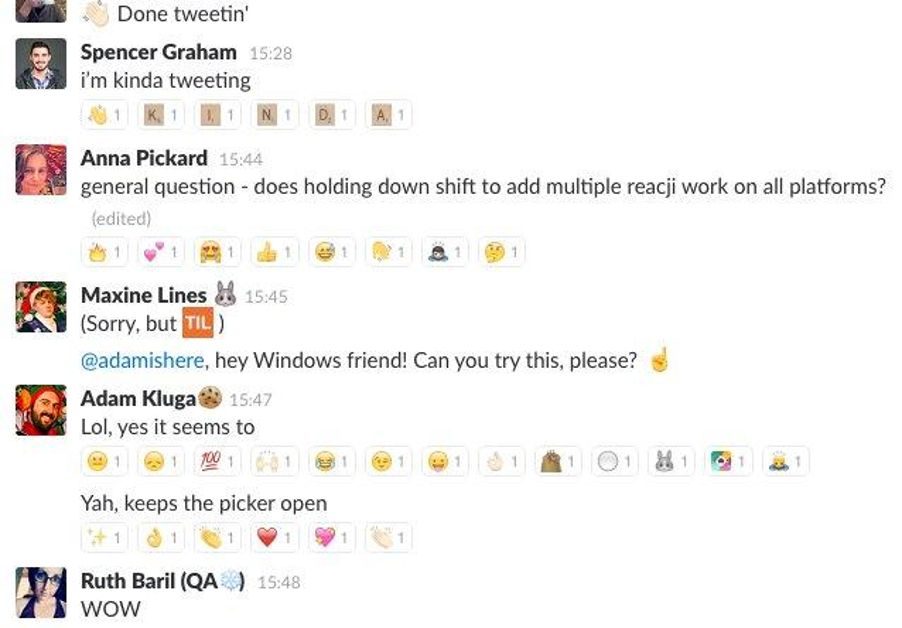
- Incorporate Emojis and Reactions: Use emojis to express tone and reactions, helping to convey emotions more effectively.
- Share Relevant Files: Attach documents directly in chats to centralize information and minimize the need for separate email threads.
Importance of Setting Boundaries for Communication Hours
Establishing communication boundaries is crucial for preventing burnout and maintaining work-life balance. By defining specific hours for messaging, teams can create a more respectful and productive environment. Such boundaries help manage expectations regarding response times and availability.
“Setting clear communication hours fosters a culture of respect and understanding within teams.”
Encouraging team members to refrain from sending messages outside of designated hours helps prevent after-hours stress and promotes healthier work practices. Additionally, this practice allows individuals to focus during work hours without the constant interruption of messages.
Framework for Organizing Channels and Teams
An organized structure within Slack and Teams minimizes clutter and streamlines communication. A clear framework can be developed by considering the following points:
- Define Channel Purpose: Clearly state the purpose of each channel to ensure that discussions remain relevant.
- Limit the Number of Channels: Avoid creating excessive channels; instead, consolidate discussions to improve focus.
- Use Categories: Group channels by projects or topics, which makes it easier for team members to locate relevant conversations.
- Regularly Archive Inactive Channels: Periodically review and archive channels that are no longer active to keep the interface clean and manageable.
- Encourage Best Practices: Promote the use of naming conventions and tagging to enhance searchability and organization.
Implementing this framework not only reduces clutter but also enhances collaboration by ensuring that team members can easily find the information they need to contribute effectively.
Optimizing Notifications and Alerts

In the fast-paced environments of Slack and Microsoft Teams, managing notifications effectively is crucial for maintaining productivity. Customizing notification settings allows users to focus on essential communications while minimizing distractions from less important interactions. This section will explore how to optimize your notification settings and prioritize alerts to align with your workflow.
Customizing Notification Settings
Tailoring notification settings in Slack and Teams can significantly enhance your productivity. Each platform offers various options to customize how and when you receive alerts. Here are the steps to adjust the notification settings for both platforms:
1. Slack Notification Customization
Click on your workspace name in the top left corner, then select “Preferences.”
Navigate to the “Notifications” tab.
Choose whether to receive notifications for all messages, direct messages, mentions, or nothing at all.
Set specific notification preferences for individual channels by clicking on the channel name and selecting “Channel Settings,” then adjusting the notification settings as needed.
2. Microsoft Teams Notification Customization
Click on your profile picture at the top right corner and select “Settings.”
Go to the “Notifications” section.
Choose your preferred settings for mentions, messages, and other activities.
Adjust your notification settings for specific teams or channels by selecting the ellipsis next to the team or channel name, then “Channel notifications.”
Muting Channels or Conversations
Not all conversations require your immediate attention, and muting certain channels or conversations can aid in reducing distractions. Here are the steps to mute channels in both platforms:
1. Muting in Slack
Navigate to the channel you wish to mute.
Click on the channel name at the top of the window.
Select “Mute Channel.” You will still receive notifications for direct messages and @mentions, but messages in the muted channel will not trigger alerts.
2. Muting in Microsoft Teams
Go to the channel you want to mute.
Click on the ellipsis (three dots) next to the channel name.
Select “Channel notifications” and then choose “Off” to stop receiving notifications for that channel.
Prioritizing Alerts Based on Urgency
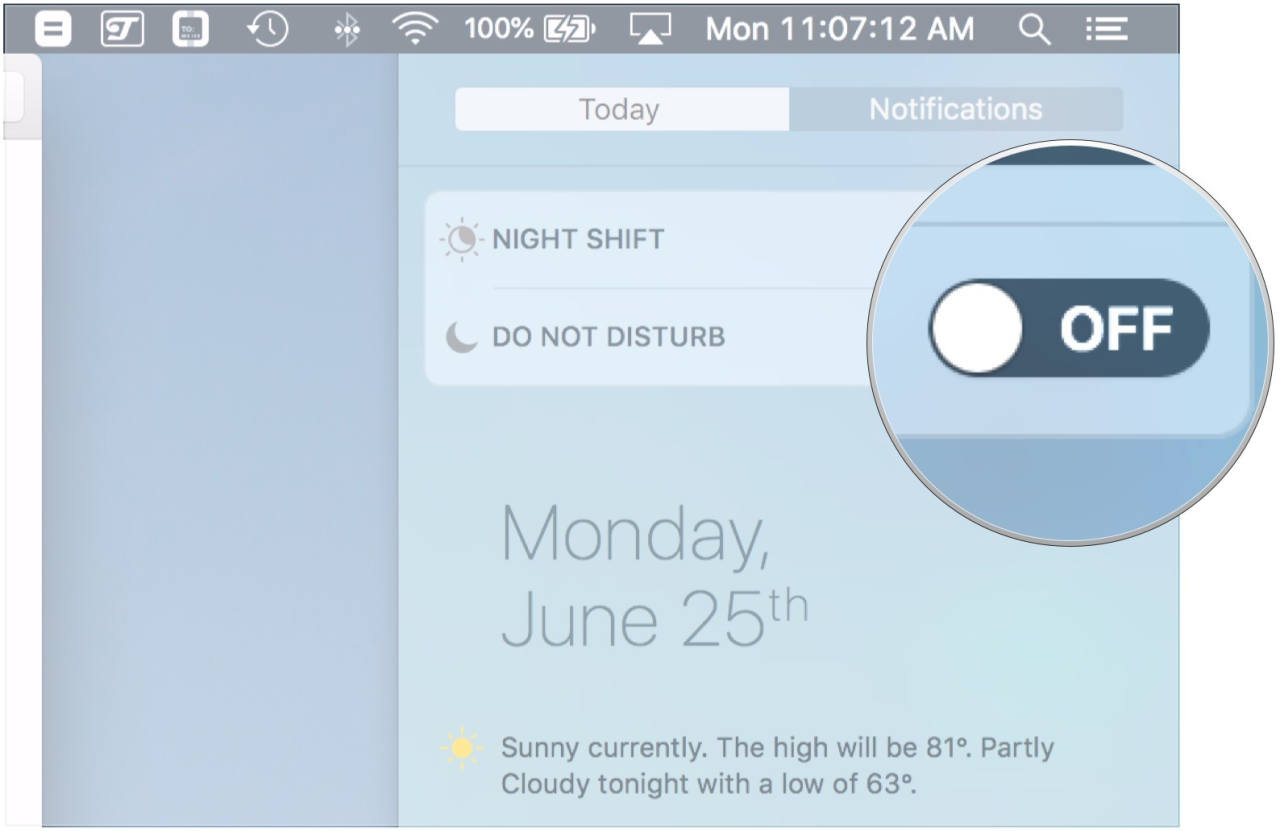
Managing notifications based on their urgency is essential to ensure that important communications do not get lost in the noise. Here are effective methods to prioritize alerts:Utilize the “Do Not Disturb” mode during focused work hours. Both Slack and Teams allow you to set specific hours when notifications will be silenced, ensuring uninterrupted work.
- In Slack, you can customize notifications to alert you only for specific s or phrases by using the “My s” feature, ensuring you never miss critical messages.
- In Teams, use the Priority Notifications feature, which sends urgent messages to the top of your activity feed. This option can be activated during conversations that require immediate attention.
By implementing these strategies for optimizing notifications and alerts, users can maintain a productive workflow while leveraging the collaborative features of Slack and Teams.
Integrating Productivity Tools
Integrating third-party productivity tools with Slack or Microsoft Teams can significantly enhance your workflow and collaboration. These integrations provide additional functionalities that streamline tasks, simplify communication, and improve overall productivity. By using the right apps in conjunction with these platforms, teams can manage their projects more effectively and reduce the time spent switching between different tools.Identifying essential third-party integrations is crucial for maximizing the capabilities of Slack and Teams.
These tools can help automate processes, manage tasks, and facilitate smoother communication, thereby contributing to a productive environment.
Essential Third-Party Integrations
A multitude of applications can be integrated with Slack and Teams to enhance functionality. Below is a table listing some of the best productivity apps that are compatible with both platforms, along with their primary functions.
| Productivity App | Primary Function |
|---|---|
| Trello | Task management and project collaboration |
| Asana | Project tracking and team collaboration |
| Google Drive | File storage and document collaboration |
| Zoom | Video conferencing and virtual meetings |
| Jira | Issue and project tracking for software development |
Setting up task management tools within Slack or Teams can greatly improve workflow. By integrating these tools, users can create, assign, and track tasks directly within their communication platform, leading to better transparency and accountability among team members. For instance, when integrating Trello with Slack, users can create cards, receive notifications, and update tasks without leaving the Slack interface. Similarly, with Asana, users can manage projects by utilizing commands to create new tasks or check on progress within Teams.
Implementing task management tools effectively involves the following steps:
1. Choose the Right Tool
Select a task management tool that best fits your team’s needs. Consider factors such as team size, project complexity, and preferred functionalities.
2. Install Integration
Go to the Slack App Directory or Microsoft Teams App Store, search for the selected tool, and follow the prompts to install it.
3. Configure Settings
Set up the integration by signing into the tool and configuring the necessary permissions to allow seamless communication.
4. Train Your Team
Ensure all team members understand how to utilize the integrated tool effectively. Provide training sessions or resources for better adoption.
5. Monitor Usage
Regularly review how the integration is being utilized and make adjustments as necessary to optimize productivity further.By following these steps and leveraging third-party integrations, teams can enhance communication and streamline their workflows, contributing to a more productive work environment.
Establishing Healthy Usage Habits
Maintaining productivity in digital communication platforms like Slack and Microsoft Teams requires the establishment of healthy usage habits. By integrating structured practices into daily routines, users can ensure that these tools enhance their work rather than detract from it. This section Artikels the importance of taking breaks, strategies for managing time effectively, and tips for staying focused during virtual meetings.
Significance of Scheduled Breaks
Incorporating scheduled breaks into the workday is essential for mental clarity and sustained productivity. Frequent, short pauses can help mitigate fatigue and maintain focus. Research indicates that taking breaks can boost cognitive function and creativity, allowing individuals to return to their tasks with renewed energy and perspective. Continuous engagement with communication tools can lead to burnout; hence, implementing regular intervals for rest is crucial.
Strategies for Limiting Time Spent on Slack or Teams
To maximize efficiency, it is important to set boundaries around the use of communication tools. Implementing strategies to limit daily time spent on platforms like Slack or Teams can significantly enhance productivity. Consider the following tactics:
- Set Specific Work Hours: Designate specific times for checking messages or responding to inquiries to avoid constant interruptions throughout the day.
- Utilize Do Not Disturb Settings: Activate “Do Not Disturb” during deep work sessions to minimize distractions and maintain focus on significant tasks.
- Track and Review Usage: Regularly review time spent on these platforms using built-in analytics or third-party tools to identify and adjust excessive usage habits.
- Create a Communication Protocol: Establish clear guidelines on when and how to communicate within the team, ensuring that urgent matters are prioritized while less critical inquiries are addressed later.
These strategies foster a more controlled environment where communication serves its purpose without overwhelming users.
Maintaining Focus During Virtual Meetings and Discussions
Virtual meetings can present unique challenges in maintaining focus, especially with the potential for multitasking. To enhance engagement during these discussions, consider the following approaches:
- Prepare an Agenda: Sharing a meeting agenda in advance ensures that all participants are aware of the topics to be discussed, promoting focused conversation.
- Limit Meeting Duration: Schedule shorter meetings to keep discussions concise and to the point, reducing the likelihood of drifting attention.
- Encourage Participation: Actively involve team members by soliciting their input on agenda items, which fosters a sense of ownership and engagement.
- Minimize Background Distractions: Encourage participants to find a quiet, dedicated space for meetings to limit interruptions and distractions that can hinder focus.
By implementing these practices, individuals can significantly enhance their engagement in virtual discussions, ensuring that these interactions are productive and meaningful.
Training and Onboarding Team Members
Effective onboarding and training of team members in the use of communication tools such as Slack and Teams is crucial for ensuring seamless integration and maximizing productivity. A structured approach not only helps new employees become familiar with the tools but also enables them to leverage their capabilities for enhanced collaboration.
Checklist for Onboarding New Team Members
A comprehensive checklist can streamline the onboarding process for new team members, ensuring they receive essential training and guidance. This checklist should cover the following key areas:
- Account Setup: Ensure that the new member has an active account and access to relevant channels and teams.
- Basic Navigation: Provide a walkthrough of the interface, including how to send messages, create channels, and manage notifications.
- Integration Overview: Familiarize them with any integrated applications or tools that enhance workflows, such as calendars or task management systems.
- Communication Protocols: Artikel the guidelines for communication, including response times, appropriate channel usage, and etiquette.
- Resource Access: Share links to internal resources, guides, and documentation that aid in tool usage.
- Support Contacts: Identify who to reach out to for help or additional training needs.
Importance of Providing Training Sessions
Training sessions are a vital component of onboarding that empower new team members to use Slack or Teams effectively. These sessions can facilitate:
- Hands-On Experience: Interactive training allows users to practice functionalities in real-time, reinforcing learning.
- Clarification of Features: Focused sessions can demystify advanced features such as file sharing, video conferencing, and integrations.
- Encouragement of Best Practices: Training sessions can emphasize the importance of communication standards and productivity-enhancing features.
“Effective training translates tool features into actionable skills, enhancing team collaboration and productivity.”
Developing Internal Resources or Guides
Creating internal resources or guides for best practices not only supports onboarding but also ensures ongoing learning. These resources can include:
- User Manuals: Detailed documents explaining each feature in Slack or Teams, along with step-by-step instructions.
- Video Tutorials: Short videos demonstrating common tasks and functionalities, providing visual learners with the support they need.
- FAQs and Troubleshooting Guides: A collection of frequently asked questions and solutions to common issues users might encounter.
- Best Practices Document: A concise guide summarizing effective communication strategies, notification settings, and productivity tips.
These resources should be easily accessible, regularly updated, and developed collaboratively to encourage contributions from team members, enhancing their relevance and utility.
Evaluating Performance and Improvements
To ensure that your implementation of Slack or Teams is genuinely enhancing productivity, it is essential to evaluate performance and identify areas for improvement. Measuring the impact of changes made is crucial for understanding their effectiveness and making informed decisions moving forward. This section covers critical metrics for assessing productivity improvements, methods for gathering feedback from team members, and strategies for refining communication processes based on user experiences.
Metrics for Measuring Productivity Improvements
Defining clear metrics is vital for gauging the success of new strategies. These metrics should align with the overall productivity goals of the organization. Consider the following key performance indicators (KPIs):
- Response Time: Measure the average time taken for team members to respond to messages. A decrease in response time indicates improved communication efficiency.
- Task Completion Rate: Track the number of tasks completed within a set time frame. An increase in this rate suggests that team collaboration tools are facilitating better task management.
- Engagement Levels: Analyze participation in discussions, channels, or meetings to assess team engagement. High engagement levels often correlate with effective communication practices.
- Employee Satisfaction Scores: Conduct regular surveys to measure team members’ satisfaction with communication tools and processes. Positive feedback can signify successful implementation.
Effective evaluation of these metrics will provide actionable insights into your team’s productivity dynamics.
Soliciting Feedback from Team Members
Gathering feedback from team members about communication effectiveness is crucial for continuous improvement. Implementing structured feedback mechanisms can elicit valuable insights. Here are some effective methods to consider:
- Regular Surveys: Schedule periodic surveys that allow team members to anonymously share their thoughts on the communication tools and their effectiveness.
- Feedback Sessions: Organize dedicated feedback sessions where team members can openly discuss their experiences and suggest improvements in real-time.
- One-on-One Check-Ins: Managers can hold individual meetings with team members to gather personalized feedback on communication challenges and successes.
- Focus Groups: Create focus groups comprising diverse team members to discuss specific aspects of Slack or Teams, encouraging collaborative problem-solving.
Encouraging honest and constructive feedback can foster a culture of openness and continuous improvement.
Iterating on Processes Based on Team Experiences
Adapting communication processes based on team feedback and experiences is crucial for maintaining productivity. Iteration allows teams to refine their approach and ensure optimal use of communication tools. Key strategies for this iterative process include:
- Analyzing Feedback: Regularly review the feedback collected from team members to identify common challenges and potential areas for improvement.
- Testing New Approaches: Pilot new communication practices or features within Slack or Teams, and assess their impact before full implementation.
- Adjusting Notification Settings: Based on team feedback, regularly revisit and adjust notification preferences to minimize distractions and enhance focus.
- Creating Documentation: Develop clear guidelines and best practices based on team experiences to help streamline communication processes for new and existing team members.
Continuous iteration on communication strategies will lead to a more engaged and productive team environment.
Final Thoughts
In conclusion, navigating the complexities of Slack and Teams does not have to compromise productivity. By implementing the strategies discussed, such as customizing notifications, setting clear communication boundaries, and integrating productivity tools, you can transform these platforms into efficient allies in your workflow. Embracing these practices can lead to a more focused and productive work environment, ultimately enhancing both individual and team performance.